 awsPartner
WhatsApp AI Agent and Chatbot for Business
Chatbot flows answer customers 24/7 on the official WhatsApp Business API, qualify leads and send them to your CRM. Your team takes over in a shared inbox, and Claude or ChatGPT reads the chats and drafts the next step.
Already on WhatsApp Business?Connect your existing numberand keep the app.
 4.6/5See reviews on G2








How it works
One WhatsApp AI agent, three parts
Chatbot replies come from flows your team writes and approves, not from a model guessing. AI does its work for your team, in the apps they already use.
On WhatsApp
Chatbot flows answer customers
No-code flows reply around the clock on your WhatsApp Business number. They ask the right questions, save the answers to the contact, and send qualified leads to your CRM.
WhatsApp chatbotsIn the inbox
People take over when it matters
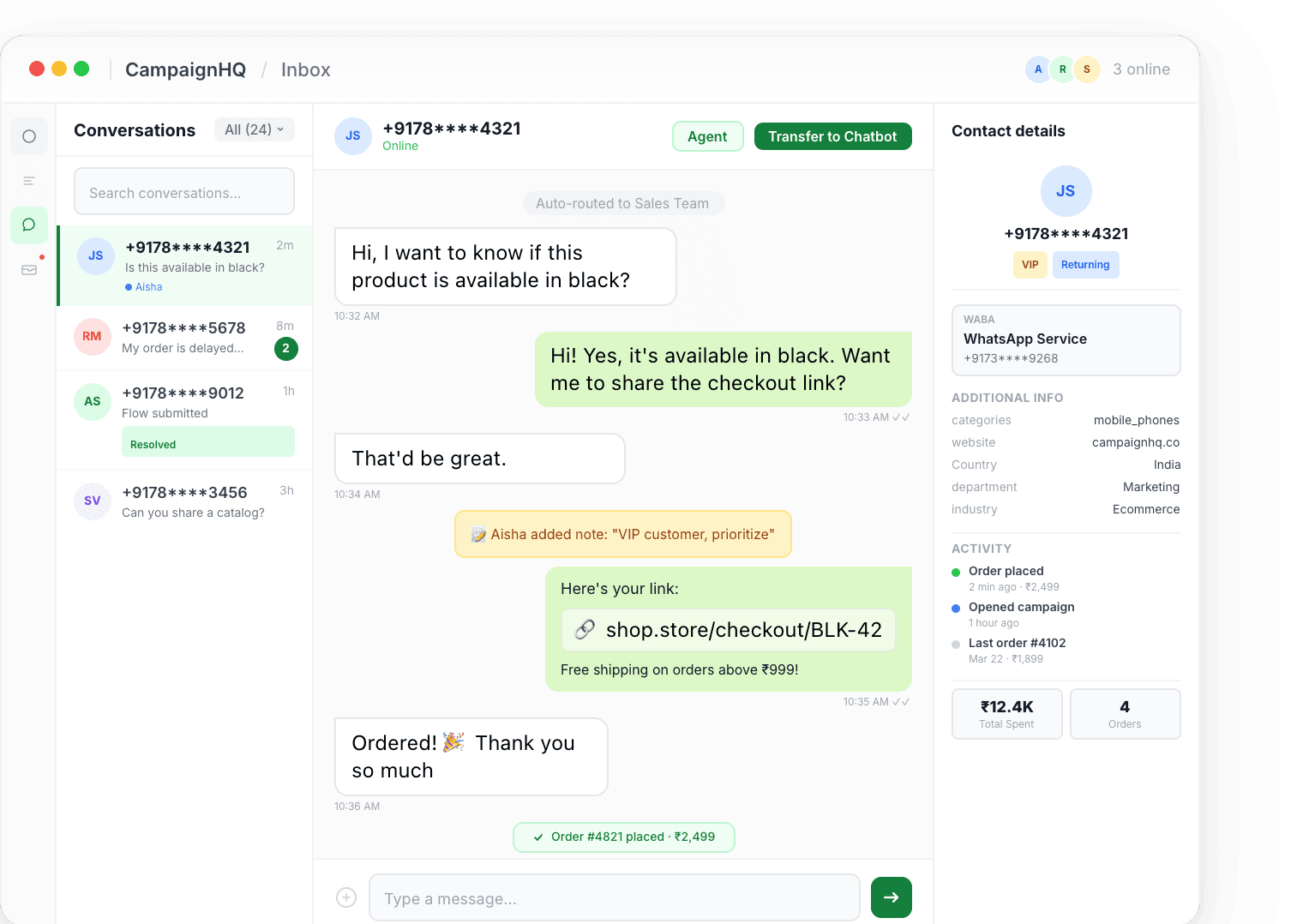
When a chat needs a person, the flow hands it to the shared team inbox with the full history. Bot replies pause while your team answers.
Shared team inboxIn Claude or ChatGPT
AI works for your team
Connect Claude or ChatGPT to your account. Ask what customers are asking, summarise open chats, check a campaign, and draft templates and segments. CampaignHQ is an app in ChatGPT and a connector in Claude.
MCP server for Claude and ChatGPT
Compare
Keyword bot vs CampaignHQ chatbot and AI
A keyword bot stops when customers type the way they talk. Here is what changes.
When customers type naturally
Keyword bot: Replies only when a message matches an exact trigger word
CampaignHQ: Buttons, lists, and branches guide the chat, based on choices, tags, and events
Where answers come from
Keyword bot: One fixed reply per keyword
CampaignHQ: Multi-step flows your team writes and approves, so every answer stays on script
Lead capture
Keyword bot: Free text someone sorts by hand later
CampaignHQ: Name, phone, email, and custom fields saved to the contact profile
Your CRM
Keyword bot: Export and upload
CampaignHQ: Qualified leads pushed to your team or CRM through integrations
Human handoff
Keyword bot: Agents start over without the chat history
CampaignHQ: Shared team inbox with the full timeline, and bot replies pause while a person answers
AI for your team
Keyword bot: None
CampaignHQ: Claude or ChatGPT reads chats and campaign data, then drafts replies, templates, and segments
Channels
Keyword bot: WhatsApp only
CampaignHQ: One contact record across WhatsApp, Instagram, email, and SMS
Setup
Set up your WhatsApp chatbot in four steps
Step 1
Connect WhatsApp
Link your WhatsApp Business account on the official API. Already on the WhatsApp Business app? Connect that number and keep the app.
Step 2
Build the chatbot flow
Drag in messages, buttons, questions, and conditions. Start from a template or from scratch, no code needed.
Step 3
Set handoff and your CRM
Decide when to tag contacts, assign a team, or pause the bot for a person. Send qualified leads to your team or CRM.
Step 4
Test, go live, connect AI
Preview every branch, publish to your number, then connect Claude or ChatGPT under Settings, Integrations, Connect AI.
Use cases
A WhatsApp chatbot for how your customers ask
Hotels and resorts
Guests ask about rooms, dates, and stays at any hour. The bot collects dates, guest count, and property, sends the booking lead to your CRM, and the team inbox handles special requests.
“Do you have a room for two in Manali this weekend?”
D2C and e-commerce
Answer order, return, and product questions around the clock, and pass anything unusual to support with the chat history intact.
“Where is my order and can I change the size?”
EdTech admissions
Capture course interest and batch preferences, then schedule counsellor callbacks without a counsellor typing every question.
“When does the next data science batch start?”
Real estate
Ask budget, location, and property type, then route site visit requests to the right sales agent with the answers on the contact.
“I want a 2BHK under budget near the metro.”
SaaS and B2B
Qualify demo requests by team size and use case before they reach sales, and keep every touch on one contact record.
“Can someone show us the product for a team of 40?”
Appointments and services
Collect the service and preferred slot in the chat, then pass a warm handoff to the coordinator who confirms it.
“Can I book a consultation for Thursday afternoon?”
Customer story
Moustache Escapes answers guest queries on WhatsApp around the clock. A chatbot qualifies new bookings and sends them straight to its CRM, and the team inbox handles the rest.
WhatsApp AI agent questions
What CampaignHQ's WhatsApp chatbot and AI do, and what they do not.
Still have questions?
A WhatsApp AI agent is software that answers and works WhatsApp conversations for a business. On CampaignHQ it has two parts. No-code chatbot flows answer customers on your WhatsApp Business number, qualify leads, and hand off to your team. Claude or ChatGPT, connected to your account, acts as an AI agent for your team: it reads conversations and campaign data and drafts the next step.
No. Chatbot replies come from flows your team builds and approves, with buttons, questions, and branches. That keeps every answer on script. AI comes in through Claude or ChatGPT, which work on your account for your team, and they can send a single inbox reply only if an admin allows it.
Pick one on the official WhatsApp Business API that qualifies leads, hands off to people with the chat history intact, and connects to the tools you already use. CampaignHQ does that with no-code chatbot flows, a shared team inbox, CRM integrations, and an MCP server for Claude and ChatGPT, with Instagram, email, and SMS in the same workspace.
No. CampaignHQ uses a no-code flow builder. Marketers and support leads can design, test, and publish bots without engineering.
Yes. A flow can route the conversation to the shared team inbox, assign it to a team or agent, and pause bot replies while a person answers. Bot and human messages sit on the same contact timeline.
Yes. Flows save answers to the contact profile and can push qualified leads to your team or CRM through integrations. Moustache Escapes uses this to send new bookings straight to its CRM.
Claude, ChatGPT, Codex, Pi, Cursor, Gemini CLI, and VS Code connect to CampaignHQ over MCP. It is included on every plan, including free, and works with each person's role and permissions. CampaignHQ is listed as an app in ChatGPT and as a Community connector in Claude. Launching a campaign or a chat flow is always a click by a person in CampaignHQ.
Yes. CampaignHQ is a Meta Business Partner and runs on the official WhatsApp Business API. If you already use the WhatsApp Business app, you can connect that number and keep the app.
Put a WhatsApp chatbot on your number
See chatbot flows, the shared inbox, and Claude or ChatGPT working on a real account in a short demo.
30-minute walkthrough · no commitment
7-day free trial · no credit card required
Manage your WhatsApp team inbox on mobile